At a Glance
Best For
Overview
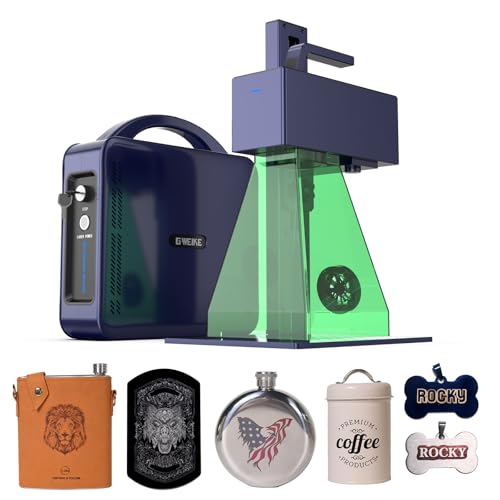
The current title confirms a 30W model, 150mm square work area, 15,000mm/s marketing claim, and portable form factor. It does not by itself verify the source, controller, software bundle, included accessories, or real-world throughput.
The broader review evidence describes a Q-switched workflow with an extended frequency range and possible thermal-oxidation color effects. That is not MOPA pulse-width control, and results can vary by material and settings. Confirm the exact source, controller, lens bundle, software, seller terms, price, and stock before checkout.
Pros & Cons
Pros
- The current title carries a 15,000mm/s speed claim; compare real-job evidence and controller settings before inferring production throughput
- Wide 20–200kHz frequency range enables thermal oxidation color on stainless steel and titanium — GWEIKE documents '90+ colorful engravings' and DIY Life reviewer confirmed distinct greens and reds on stainless (Nov 2024)
- GWEIKE's LightBurn driver is the most actively maintained of any Chinese fiber laser brand — no COR file gymnastics, no galvo axis swap workarounds; direct native LightBurn galvo support out of box
- 150×150mm work area handles most knife blades, tumblers with rotary, and medium plaques without repositioning
- Active LightBurn settings ecosystem with documented community resources: a dedicated Etsy seller offers a 37-material LightBurn library specific to the G2 Pro 30W covering metals, plastics, and stone
Cons
- Color marking is thermal oxidation, not MOPA — results require experimentation per material and are less consistent and repeatable than a JPT MOPA machine; do not expect plug-and-play stainless color
- Focus height calibration is measured from lens center, not machine frame — GWEIKE's manual doesn't clarify this; every new owner mis-sets focus initially and must recalibrate by sound and burn quality (LightBurn forum, Feb 2026)
- Customer service is WhatsApp-only with inconsistent quality — best-lasercutter.com rates it 'a gamble'; not viable for production-critical environments with tight turnaround requirements
- The built-in fan is not a substitute for a verified fume-control plan appropriate to the marked material and workspace
- Native G-Laser software is frustrating and feature-poor — nearly all users switch immediately to LightBurn; do not evaluate the machine on G-Laser
Build Quality & Design
The G2 Pro is a redesigned, lighter chassis compared to the original 12 kg G2. Official specs and GeekBuying list the unit at 6.5 kg product weight (7.5 kg packaged), making it genuinely portable for a 30W fiber laser. The laser head detaches for handheld operation.
There is no enclosure. As a Class 4 open-beam laser emitting 1064 nm infrared, it requires OD5+ eyewear and a controlled workspace. Owner reports across best-lasercutter.com and the Maker's Chest review describe the frame as solid but utilitarian — painted steel, not machined billet. The 150×150 mm work area on this ASIN uses an electric lift Z-axis, which is smoother than the manual lift found on the smaller 110×110 mm variant. Repeat accuracy is rated at ±0.001 mm with a minimum character size of 0.1 mm. Build quality is adequate for production use, but it is not a premium fit-and-finish product.
Laser Source & Performance
The G2 Pro is built around a 30W Raycus Q-switched ytterbium fiber source. GWEIKE's official spec page lists the laser type as 'Ytterbium Fiber 0.67mj' rather than explicitly naming the supplier, but Raycus is the standard source for machines in this price bracket and is consistent with GWEIKE's historical sourcing.
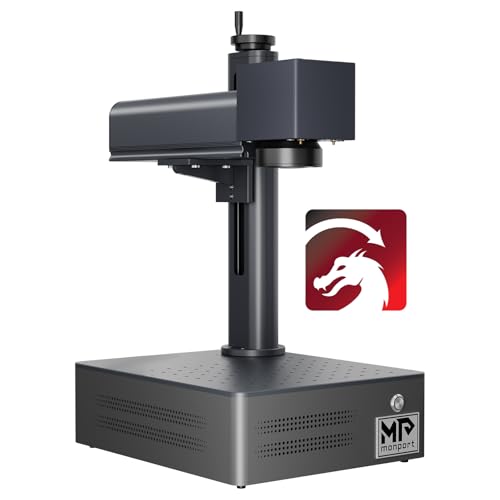
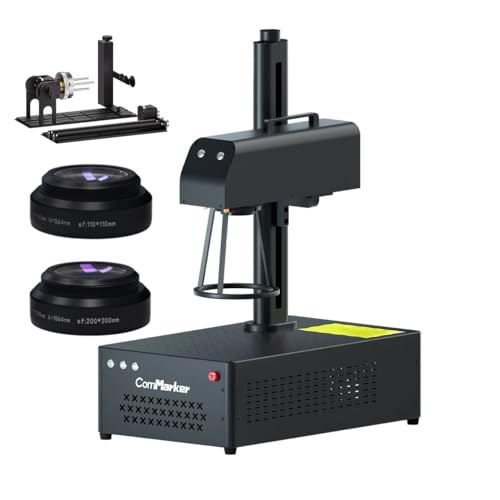
The headline specification is the 15,000 mm/s galvo speed — verified by GWEIKE's official page, GeekBuying, and best-lasercutter.com. That is 50% faster than the ComMarker B4 30W's 10,000 mm/s and more than double the Monport 20W's 7,000 mm/s. On production runs with infill or complex vector fills, the throughput advantage is measurable.
The pulse frequency range of 20–200 kHz is the key differentiator from the original G2's narrower 30–60 kHz band. That wider range is what enables thermal oxidation color effects on stainless steel and titanium — distinct from true MOPA pulse-width control, but sufficient to produce visible color variation through heat tuning. GWEIKE markets this as '90+ colorful engravings,' and while the results are real, they are not plug-and-play.
Software & Workflow
GWEIKE's LightBurn integration is the most mature of any Chinese fiber laser brand. The driver is actively maintained, and the setup process does not require the COR file gymnastics or manual galvo axis swapping that ComMarker owners endure. For buyers migrating from diode lasers, the workflow continuity is immediate — the same layer panel, parameter sliders, and fill strategies apply directly to galvo fiber marking.
LightBurn is listed as officially supported software on GWEIKE's product page, and the LightBurn forum has an active G2-series thread ecosystem. A dedicated Etsy seller even offers a 37-material LightBurn parameter library specific to the G2 Pro 30W, covering metals, plastics, and stone.
The bundled G-Laser software, by contrast, is consistently described as frustrating and feature-poor. best-lasercutter.com and the Maker's Chest review both note that nearly every user abandons G-Laser immediately. EZCad2 is also included, though in practice most owners never open it. If you buy this machine, plan to run it in LightBurn from day one.
Use-Case Performance
Jewelry and precious metals are a strong fit. The 30W output at 15,000 mm/s handles gold, silver, and titanium with precision, and the ±0.001 mm repeat accuracy supports intricate ring engravings and fine detail work. Color oxidation on titanium is achievable with frequency tuning, though not with the consistency of a MOPA source. For monochrome fine-detail jewelry, the G2 Pro performs at a level that justifies its price.
Knife and blade marking is excellent. The 150×150 mm work area covers most blade lengths without repositioning, and 30W delivers deep, durable marks on hardened steel. LightBurn's vector workflow makes complex logo designs straightforward, and the G2 Pro's place in knife-marking communities is well established.
Tumblers require a rotary attachment — the 150 mm field does not fit a standard 20oz tumbler flat. Chuck and roller rotary accessories are available and supported. On bare stainless tumblers, oxidation colors are possible with parameter experimentation. On powder-coated tumblers, the Q-switched source removes coating cleanly but cannot produce color on the coated surface itself; that requires MOPA.
Business batch work is viable. The 15,000 mm/s galvo speed is production-grade for a desktop unit, and 30W provides a meaningful throughput advantage over 20W alternatives. LightBurn batch processing via native support streamlines repetitive jobs. The caveat is support risk: WhatsApp-only after-sales with inconsistent quality is a genuine liability for business-critical deployments with tight turnaround requirements.
Value & Verdict
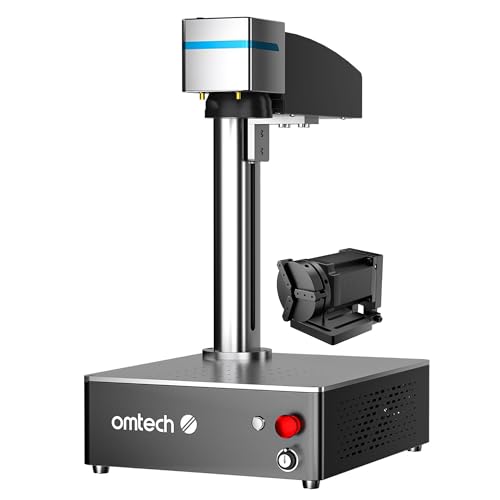
That invalidates the previous value comparison against stale ComMarker and OMTech prices; the referenced OMTech ASIN was also unavailable.
Its claimed galvo speed and Q-switched workflow remain relevant comparison points, while consistent MOPA color work requires a currently available true-MOPA configuration. Confirm the source, controller, field, lens and rotary bundle, software, seller support, return terms, price, and availability before buying.
Our Verdict
The GWEIKE G2 Pro is a fast Q-switched option with a 150mm field and an extended frequency range. The verified Amazon offer was $1,799 on July 10, 2026, so the old under-$900 comparison is invalid. Buyers focused on repeatable MOPA workflows should compare available true-MOPA configurations rather than the currently unavailable OMTech ASIN referenced in older copy.
| Full Specifications | |
|---|---|
| Wattage | 30W |
| Laser Type | Q-Switched |
| Laser Source | Raycus |
| Work Area (W) | 150mm |
| Work Area (H) | 150mm |
| Galvo Speed | 15000mm/s |
| Color Marking | Yes |
| LightBurn | Yes |
| Autofocus | No |
| Focal Length | 163mm |
| Weight | 6.5kg |
| Form Factor | portable |
| Software | LightBurn + EZCad2 |
| Pulse Width | N/A (Q-Switched, 20–200kHz frequency range) |
Frequently Asked Questions
Is the GWEIKE G2 Pro 30W a MOPA laser?
Can the GWEIKE G2 Pro do color marking?
How fast is the GWEIKE G2 Pro?
Does it work with LightBurn out of the box?
Related Buying Guides
Compare With Similar Fiber Laser Engravers
OMTech
30W JPT MOPA
30 W · MOPA · Yes
No current Amazon offer
Head-to-Head Comparisons
GWEIKE G2 Pro 30W Fiber Laser Engraver
$1,799
Amazon offer checked 2026-07-10. Price and availability can change.