GWEIKE G2 20W Fiber Laser Engraver vs GWEIKE G2 Pro 30W Fiber Laser Engraver
Head-to-head spec comparison to help you pick the right fiber laser for your needs.
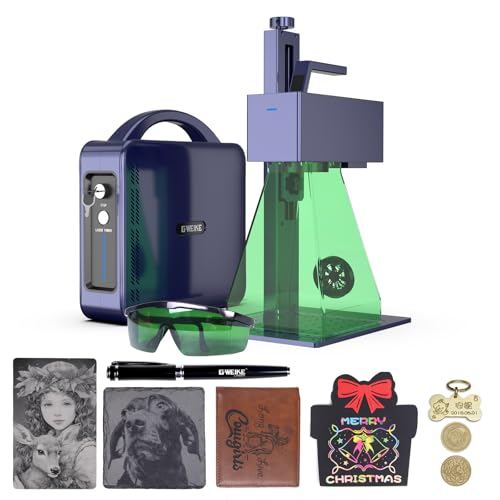
GWEIKE
$1,299
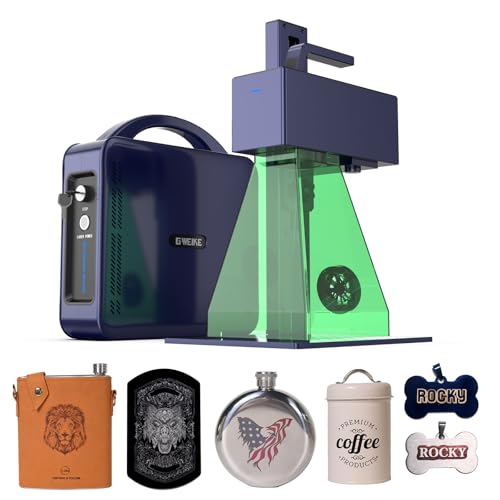
GWEIKE
$1,799
Spec-by-Spec Comparison
| Spec | GWEIKE G2 20W Fiber Laser Engraver | GWEIKE G2 Pro 30W Fiber Laser Engraver |
|---|---|---|
| Wattage | 20 W | 30 W |
| Laser Type | Q-Switched | Q-Switched |
| Laser Source | Raycus | Raycus |
| Work Area (W) | 110 mm | 150 mm |
| Work Area (H) | 110 mm | 150 mm |
| Galvo Speed | 15000 mm/s | 15000 mm/s |
| Color Marking | No | Yes |
| LightBurn | Yes | Yes |
| Autofocus | No | No |
| Weight | 2.5 kg | 6.5 kg |
| Software | LightBurn + EZCad2 | LightBurn + EZCad2 |
| Pulse Width | N/A (Q-Switched) | N/A (Q-Switched, 20–200kHz frequency range) |
| Price | $1,299 | $1,799 |
| Rating | 7.8/10 | 8.3/10 |
| Buy on Amazon | Buy on Amazon |
Pros & Cons
GWEIKE G2 20W Fiber Laser Engraver
Pros
- LightBurn workflow support is documented in the broader review evidence; confirm the current controller and license requirements with the seller
- The listing title carries a 15,000mm/s speed claim, but buyers should compare real-job evidence rather than infer throughput from catalog speed alone
- Raycus 20W source with documented reliability in knife-marking communities — a dedicated Italian cutlery review site (coltellimania.com, 14k views) independently validated the G2 for blade work
- 110×110mm work area covers rings, blade sections, small plaques, and coin marking without repositioning or compromising mark quality
- Active settings ecosystem: YouTube tutorials, LightBurn forum threads, and community settings libraries are indexed for the G2 specifically — problems you hit have been solved publicly
Cons
- Power-loss mid-job defect documented on LightBurn forum (June 2025) — mid-engraving power drop reported on some units; a workaround exists in settings but not every owner encounters it
- Customer service is WhatsApp-only with slow US response times — if something goes wrong, you are on your own until business hours in China; not viable for production-critical downtime
- Focus height calibration is poorly documented — community consensus is to calibrate by burn quality and sound rather than ruler measurement; GWEIKE's manual understates this complexity
- 110×110mm work area rules out tumblers and anything wider than a palm — if typical work pieces are over 100mm, step up to the ComMarker B6 (150mm field)
- No color marking — Q-switched laser cannot produce oxidation colors on stainless steel regardless of settings
GWEIKE G2 Pro 30W Fiber Laser Engraver
Pros
- The current title carries a 15,000mm/s speed claim; compare real-job evidence and controller settings before inferring production throughput
- Wide 20–200kHz frequency range enables thermal oxidation color on stainless steel and titanium — GWEIKE documents '90+ colorful engravings' and DIY Life reviewer confirmed distinct greens and reds on stainless (Nov 2024)
- GWEIKE's LightBurn driver is the most actively maintained of any Chinese fiber laser brand — no COR file gymnastics, no galvo axis swap workarounds; direct native LightBurn galvo support out of box
- 150×150mm work area handles most knife blades, tumblers with rotary, and medium plaques without repositioning
- Active LightBurn settings ecosystem with documented community resources: a dedicated Etsy seller offers a 37-material LightBurn library specific to the G2 Pro 30W covering metals, plastics, and stone
Cons
- Color marking is thermal oxidation, not MOPA — results require experimentation per material and are less consistent and repeatable than a JPT MOPA machine; do not expect plug-and-play stainless color
- Focus height calibration is measured from lens center, not machine frame — GWEIKE's manual doesn't clarify this; every new owner mis-sets focus initially and must recalibrate by sound and burn quality (LightBurn forum, Feb 2026)
- Customer service is WhatsApp-only with inconsistent quality — best-lasercutter.com rates it 'a gamble'; not viable for production-critical environments with tight turnaround requirements
- The built-in fan is not a substitute for a verified fume-control plan appropriate to the marked material and workspace
- Native G-Laser software is frustrating and feature-poor — nearly all users switch immediately to LightBurn; do not evaluate the machine on G-Laser
Our Verdicts
GWEIKE G2 20W Fiber Laser Engraver
The GWEIKE G2 20W is the stronger 20W option for a buyer who prioritizes LightBurn continuity and public setup resources. Its 110mm field still limits larger work. The verified Amazon offer was $1,299 on July 10, 2026, so the old $499 value comparison is no longer a valid reason to buy. Compare its exact current configuration and support terms with the similarly priced Monport 20W before checkout.
GWEIKE G2 Pro 30W Fiber Laser Engraver
The GWEIKE G2 Pro is a fast Q-switched option with a 150mm field and an extended frequency range. The verified Amazon offer was $1,799 on July 10, 2026, so the old under-$900 comparison is invalid. Buyers focused on repeatable MOPA workflows should compare available true-MOPA configurations rather than the currently unavailable OMTech ASIN referenced in older copy.