At a Glance
Best For
Overview
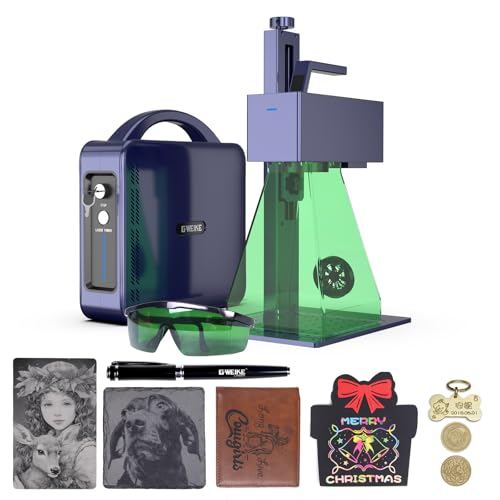
The GWEIKE G2 20W is the machine we recommend most often to first-time fiber laser buyers, and the reason has almost nothing to do with the laser source itself. What makes the G2 the right buy is everything around the source: GWEIKE actively maintains their LightBurn galvo driver, the community ecosystem is the largest of any Chinese fiber brand, and the documentation gap that haunts every other machine in this price tier is filled by YouTube tutorials, Etsy settings packs, and indexed Reddit threads.
For a hobbyist or maker with no prior fiber laser experience, that ecosystem is the single most valuable asset GWEIKE provides. The first three problems you will hit — focal length calibration, x/y axis mirror orientation, and material parameter dialing — have all been solved publicly by other G2 owners. The path from unboxing to first successful mark is hours, not days. By contrast, the cheaper Monport 20W requires several hours of LightBurn forum archaeology to set up correctly, and the ComMarker B6 has a thinner community despite the autofocus advantage.
The G2 is not without compromises. Customer service is WhatsApp-only with slow US-hour response times, the 110×110mm work area is constraining for anything tumbler-sized, and there is no color marking capability (Q-switched cannot do MOPA color work). A documented power-loss-mid-job defect surfaced on the LightBurn forum in June 2025 — not every owner encounters it, and a workaround exists, but it's the kind of issue that requires community help to solve and reinforces the value of the active forum presence.
Pros & Cons
Pros
- LightBurn workflow support is documented in the broader review evidence; confirm the current controller and license requirements with the seller
- The listing title carries a 15,000mm/s speed claim, but buyers should compare real-job evidence rather than infer throughput from catalog speed alone
- Raycus 20W source with documented reliability in knife-marking communities — a dedicated Italian cutlery review site (coltellimania.com, 14k views) independently validated the G2 for blade work
- 110×110mm work area covers rings, blade sections, small plaques, and coin marking without repositioning or compromising mark quality
- Active settings ecosystem: YouTube tutorials, LightBurn forum threads, and community settings libraries are indexed for the G2 specifically — problems you hit have been solved publicly
Cons
- Power-loss mid-job defect documented on LightBurn forum (June 2025) — mid-engraving power drop reported on some units; a workaround exists in settings but not every owner encounters it
- Customer service is WhatsApp-only with slow US response times — if something goes wrong, you are on your own until business hours in China; not viable for production-critical downtime
- Focus height calibration is poorly documented — community consensus is to calibrate by burn quality and sound rather than ruler measurement; GWEIKE's manual understates this complexity
- 110×110mm work area rules out tumblers and anything wider than a palm — if typical work pieces are over 100mm, step up to the ComMarker B6 (150mm field)
- No color marking — Q-switched laser cannot produce oxidation colors on stainless steel regardless of settings
Build Quality & Design
The GWEIKE G2 is built around a 2.5 kg portable chassis — lighter than the Monport 20W (3.2 kg) and substantially lighter than the ComMarker B6 (3.5 kg). The form factor is genuinely portable: the laser head detaches from the column for storage or transport, and the whole assembly fits on a single workbench or a sturdy table without dedicated infrastructure. For makers without permanent shop space, this matters more than the spec sheet suggests.
The build quality is competent for the price. The metal frame and galvo head are rigid enough to hold calibration through normal use, and the column-mounted laser head allows reasonable Z-axis range for material height changes. The included tripod or 3-axis stand (depending on configuration ordered) provides enough adjustment for typical workflows without requiring a third-party lift table.
What the G2 doesn't include is autofocus or an enclosure. This is an open-frame Class 4 fiber laser emitting an invisible 1064nm infrared beam; OD5+ laser safety glasses are mandatory whenever it's powered on, and reflective surfaces in the work area must be controlled. The lack of autofocus is the most-asked-about omission from the spec sheet — GWEIKE deliberately did not include it on the G2 base model (the larger G2 Pro 30W and G2 Max 50W also skip it).
Focal height calibration on the G2 is poorly documented in GWEIKE's manual — community consensus is to calibrate by burn quality and sound rather than by ruler measurement, but that's a self-taught skill GWEIKE doesn't help you develop. The first-time setup ritual is about 30 minutes of focus exploration on a piece of scrap brass or aluminum before you trust the position.
Laser Source & Performance
It produces clean, durable, deep monochrome marks at 0.01mm precision on stainless steel, aluminum, brass, silver, titanium, copper, and anodized aluminum. The marks are the real thing — they survive heavy daily use, sharpening on knife blades placed away from the edge, and exposure to oils and solvents without degradation. This is industrial-grade marking capability at a hobbyist price.
Where the G2 differentiates from the cheaper Monport is throughput. The galvo runs at a confirmed 15,000mm/s — 50% faster than the Monport 20W's 10,000mm/s. The throughput differential is small on simple text marks (a logo at 5 mm tall on a dog tag takes about the same time on either machine), but it compounds significantly on infill-heavy designs. A 60×60mm filled logo on stainless takes the Monport approximately 4–5 minutes; the G2 finishes the same work in 2.5–3 minutes.
For knife marking specifically, the G2 has earned independent validation from outside the US maker community. An Italian cutlery review site (coltellimania.com, 14k views) independently endorsed the G2 for knife steel work, joining the broader maker community that uses the G2 as a daily workflow tool. The Raycus source handles high-carbon steel, tool steels (D2, A2, M2), and stainless damascus without parameter tuning gymnastics — the standard 20W setups work cleanly on common blade steels.
The Q-switched architecture limitation is identical to every other Q-switched machine in this category: no color marking on stainless steel. The vivid blues, reds, and oxidation tones that MOPA machines produce are physically out of reach regardless of skill or software.
Software & Workflow
The G2's single most distinguishing feature is its LightBurn integration. GWEIKE ships LightBurn-compatible firmware as standard and actively maintains the LightBurn galvo driver — they update it when LightBurn releases new versions, fix bugs reported by the community, and respond to forum questions about parameter behavior. This is genuinely uncommon: most Chinese fiber brands treat LightBurn compatibility as a one-time integration job and never revisit it. GWEIKE treats it as part of the product, which is the right approach.
The practical impact: out of the box, the G2 connects to LightBurn with one calibration step (mirroring the x/y axes in LightBurn settings — documented by owners but not by GWEIKE's manual). From that point forward, LightBurn drives the machine cleanly, and you can use LightBurn's material library workflow, its rotary support, and its modern UI without quirks or workarounds. For makers coming from a diode or CO₂ laser background, the G2 is the easiest fiber laser onramp in the category.
The community ecosystem is the second-order benefit. YouTube has hundreds of G2-specific tutorial videos. The LightBurn forum has indexed threads for G2 troubleshooting going back to 2023. Reddit's r/lasercutting has multiple active threads with G2 owners exchanging settings and fixes.
The one specific issue documented in the community is a mid-job power loss reported on the LightBurn forum in June 2025: some G2 units exhibit a power drop partway through long engraving runs. The workaround is to adjust the laser-power configuration in LightBurn machine settings, and the issue does not affect every unit. Community workaround threads are easy to find by searching; the LightBurn forum and Reddit have multiple threads with the fix. The relevant point is that the workaround exists publicly — this is exactly the kind of issue that's painful on a machine with no community presence and trivial on a machine with the G2's documentation depth.
Use-Case Performance
For jewelry, the G2 20W performs in the sweet spot of its capability envelope. Rings, pendants, brass plaques, and silver charms engrave cleanly at fine detail (0.01mm precision); the 110×110mm work area is sufficient for any standard jewelry piece without repositioning; the Raycus source handles gold, silver, platinum, brass, and bronze without surprise behavior. Lack of autofocus matters slightly more for jewelry (irregular-height ring shanks, curved bracelet sections) but is workable with a focus check on every new piece.
For knife marking, the G2 is one of the most validated machines in the price tier. The community knife-maker contingent uses the G2 daily for maker's marks, model numbers, and serial numbers on high-carbon steel and tool steels. The 110mm field handles standard pocket knives and most utility blades in one setup; longer hunting knives, kitchen knives, and full chef's knives require repositioning. The 15,000mm/s galvo speed makes per-blade marking times short — for a production run, the throughput is competitive with much more expensive machines.
For business and batch production, the G2 is viable for low-to-medium volume work. The combination of fast galvo speed, LightBurn workflow efficiency, and the community parameter library means you can move from custom-design to production output faster than on any other budget machine. The constraint is the 110mm field — if your batch products are larger than a coffee coaster, you're going to feel that limit on every part. Operations doing tumblers, larger nameplates, or longer blades should step up to the ComMarker B6 (150mm) or higher.
For tumblers and drinkware, the G2's 110mm work area is too small. Standard 20–30 oz tumblers require the curved surface to pass through 150mm of field for clean uninterrupted marking; the G2's 110mm forces repositioning mid-job. Combined with the Q-switched architecture (no color marking), the G2 is the wrong tool for any custom tumbler business. If tumblers are part of your roadmap, plan to buy a MOPA machine with a 150mm+ field from day one.
Value & Verdict
The premium pays for itself in weeks for any consistent maker; for occasional hobbyist use, the GWEIKE's smoother experience justifies the cost on convenience alone.
The G2 is not the right purchase for everyone.
Buy the GWEIKE G2 20W if: this is your first fiber laser, your work fits in 110×110mm, LightBurn from day one matters, and you want the smoothest documented entry into fiber laser work. Skip it if: your work pieces are larger than a palm-sized object, color marking on stainless is anywhere on your roadmap, or you specifically need autofocus for irregular-height items.
Our Verdict
The GWEIKE G2 20W is the stronger 20W option for a buyer who prioritizes LightBurn continuity and public setup resources. Its 110mm field still limits larger work. The verified Amazon offer was $1,299 on July 10, 2026, so the old $499 value comparison is no longer a valid reason to buy. Compare its exact current configuration and support terms with the similarly priced Monport 20W before checkout.
| Full Specifications | |
|---|---|
| Wattage | 20W |
| Laser Type | Q-Switched |
| Laser Source | Raycus |
| Work Area (W) | 110mm |
| Work Area (H) | 110mm |
| Galvo Speed | 15000mm/s |
| Color Marking | No |
| LightBurn | Yes |
| Autofocus | No |
| Focal Length | 163mm |
| Weight | 2.5kg |
| Form Factor | portable |
| Software | LightBurn + EZCad2 |
| Pulse Width | N/A (Q-Switched) |
Frequently Asked Questions
Can it engrave tumblers?
What's the documented power-loss-mid-job issue?
Compare With Similar Fiber Laser Engravers
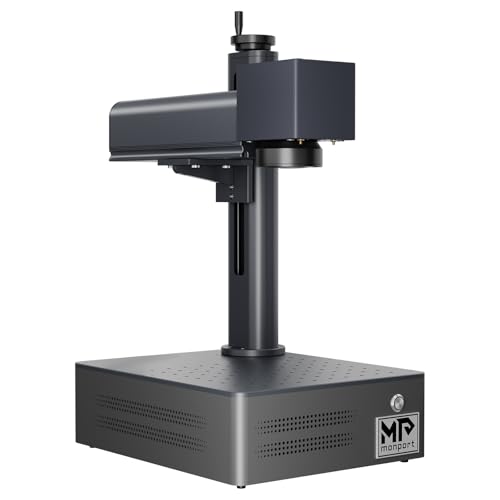
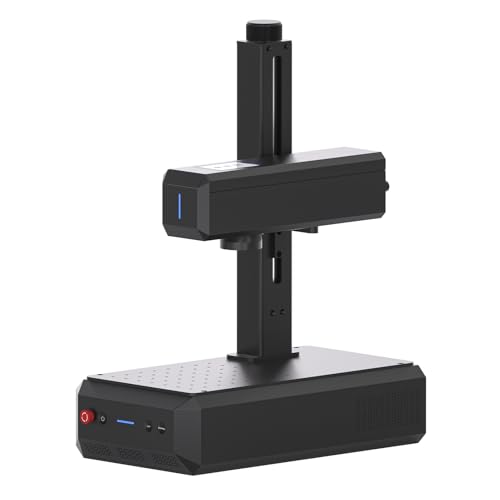
Head-to-Head Comparisons
GWEIKE G2 20W Fiber Laser Engraver
$1,299
Amazon offer checked 2026-07-10. Price and availability can change.