OMTech
30W JPT MOPA
No current Amazon offer
At a Glance
Best For
Overview
The JPT source is rated for 100,000 hours, the parameter envelope covers 2–500 ns pulse width and 1–4,000 kHz frequency, and the community ecosystem around OMTech is the deepest of any MOPA brand at this price.
But the positives come with real caveats. DOA and shipping damage are recurring themes across owner reports — the packaging is adequate, but component fragility during long shipping is a genuine risk that demands immediate inspection on arrival. There is also a critical purchasing trap: ASIN B0DCFGK6PX, the primary Amazon listing, may ship as EZCad-only, while a separate ASIN (B0DSZ8PLLY) explicitly bundles LightBurn.
Pros & Cons
Pros
- The current listing title identifies a JPT source; source model and rated life should be confirmed in the exact seller documentation
- 150×150mm work area with rotary axis confirmed included in ASIN B0DCFGK6PX — covers tumblers with rotation and most jewelry without repositioning
- Variable pulse width 2–500ns with 1–4,000kHz frequency range gives precise oxide-layer color control on stainless steel and titanium — specific settings (e.g. power 45%, speed 1000mm/s, pulse 60ns, freq 400 for red on SS) are documented in community threads
- OMTech's LightBurn compatibility works on Windows, macOS, and Linux — rare for Chinese fiber lasers; most EZCad-only competitors require Windows exclusively
- Largest community presence of any MOPA brand at this price: LightBurn forum history, YouTube reviews, and documented settings libraries predate this model and are actively maintained
Cons
- DOA/shipping damage reported across multiple sources — packaging is adequate but component fragility during long shipping is a recurring theme; inspect immediately on arrival
- ASIN B0DCFGK6PX may be EZCad-only — Amazon title says 'EZCad Galvo Lens'; a separate ASIN (B0DSZ8PLLY) explicitly bundles LightBurn; verify which listing you're buying before purchasing
- Customer support is slower than Monport's direct-site models and not as consistent as OMTech's marketing implies — LightBurn forum users note 24hr+ turnaround and first-line agents who don't always understand the issue
- Color marking requires systematic material testing per batch — oxide colors on stainless are parameter-sensitive; alloy composition and powder coat thickness vary between tumbler batches, requiring fresh test grids
Build Quality & Design
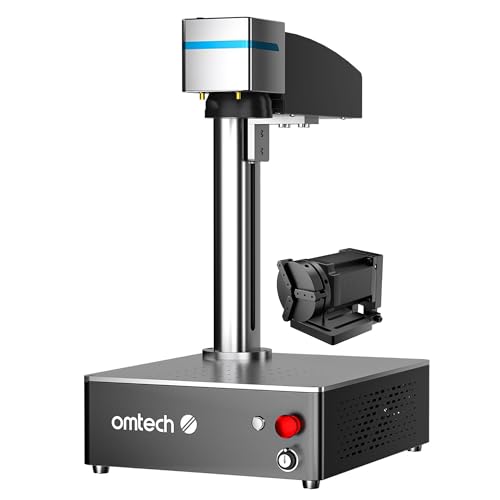
The OMTech 30W MOPA is a 4.5 kg portable unit with an open-frame chassis that sits on a bench rather than enclosing the workspace. There is no lid, no interlock, and no built-in enclosure — this is a Class 4 laser emitting an invisible 1064 nm infrared beam that can cause instant eye injury. You must supply OD5+ rated safety glasses and either a dedicated controlled workspace or an aftermarket enclosure.
Physical build quality is consistent with the price tier: functional aluminum framing, a standard galvo head assembly, and a JPT M7 source that arrives with its industrial-grade pedigree intact. The rotary axis is included with ASIN B0DCFGK6PX, which expands the usable work area to cylindrical objects like tumblers and cups.
The primary build-quality concern is not the machine itself but the shipping experience. Multiple sources document DOA units and shipping damage — bent galvo mounts, cracked connectors, and misaligned optics. OMTech's packaging is described as adequate but not robust, and the long transit from overseas amplifies the risk. Inspect every component on arrival, test the galvo alignment immediately, and document any damage before the return window closes.
Laser Source & Performance
The JPT M7 MOPA source is the reason to buy this machine. Output is 30W with a galvo scan speed of 8,000 mm/s and a parameter envelope of 2–500 ns pulse width and 1–4,000 kHz frequency. That range is what separates MOPA from Q-switched: by controlling pulse width and frequency, the machine grows a controlled oxide layer on stainless steel and titanium, producing vivid colors that no Q-switched laser can generate.
Community threads document specific working parameters — for example, power at 45%, speed at 1,000 mm/s, pulse width at 60 ns, and frequency at 400 kHz for red on 304 stainless steel. Deep engraving on steel, aluminum, and brass is also confirmed effective, with the 30W output handling production-depth marking in fewer passes than any 20W alternative.
Software & Workflow
OMTech advertises LightBurn compatibility across Windows, macOS, and Linux — a genuine differentiator in a category where most Chinese fiber lasers are Windows-only through EZCad2. The claim holds up: LightBurn forum history shows active OMTech MOPA owners running production workflows on all three platforms. EZCad2 is also included, which provides a fallback for users who prefer the native fiber laser interface or need legacy file compatibility.
The workflow friction is not the software itself but the bundle verification. ASIN B0DCFGK6PX carries an Amazon title of "EZCad Galvo Lens," which strongly suggests EZCad-only configuration. A separate ASIN, B0DSZ8PLLY, explicitly bundles LightBurn. The recommendation is simple: read the Amazon bullet points carefully, message the seller to confirm LightBurn inclusion, or budget for the license upfront.
Once the software is sorted, the workflow is standard LightBurn galvo: import artwork, set power, speed, frequency, and pulse width, and mark. The learning curve is real for color marking — parameter interdependence is non-intuitive — but the community documentation is the best available at this price.
Use-Case Performance
For jewelry and small metalwork, the 150×150 mm work area covers rings, pendants, dog tags, and small plaques without repositioning. The MOPA pulse width control enables fine engraving on gold, silver, brass, and titanium without excessive surface ablation. Black-and-white marking on precious metals is straightforward, and color marking on titanium is achievable once settings are dialed. The included rotary axis handles cylindrical items like rings and bracelets, though chuck-style rotaries for larger cylinders may need to be purchased separately.
Tumbler and drinkware marking is where the MOPA capability shines — and where the work area and rotary inclusion matter most. The 150 mm field covers standard tumblers with rotation, and community threads show active OMTech owners sharing settings for powder-coated stainless drinkware. The critical friction point is batch consistency: even visually identical tumblers from the same supplier can carry different powder coat thickness or alloy composition, meaning a settings grid that produced perfect reds on one batch may shift to browns on the next. Per-batch test grids are non-negotiable for color work.
Knife and blade marking benefits from the 30W output for deep, durable serial numbers and logos on stainless steel. The open-frame design accommodates long blades with creative positioning.
Value & Verdict
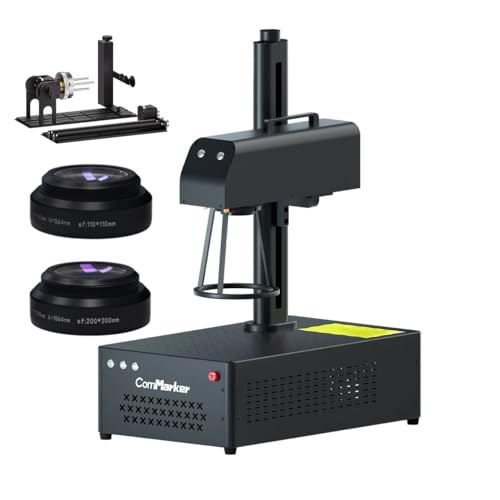
The JPT source is proven, the 150 mm work area is correct for most hobbyist and small-business use cases, and the community ecosystem — LightBurn forums, YouTube tutorials, and settings libraries — is deeper than any competitor at this price. If color marking on stainless steel or titanium is a requirement, the OMTech is the correct choice; if deep monochrome engraving with workflow convenience matters more, the ComMarker B4 is the stronger pick.
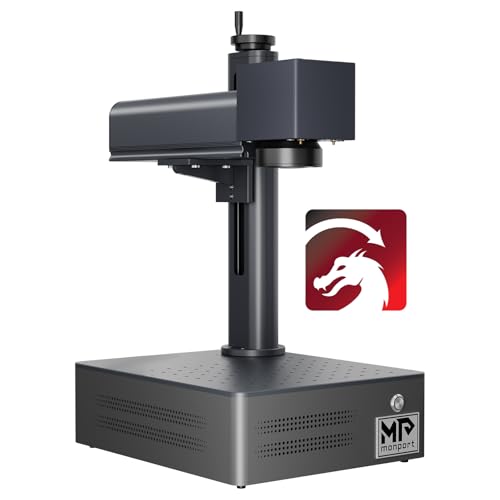
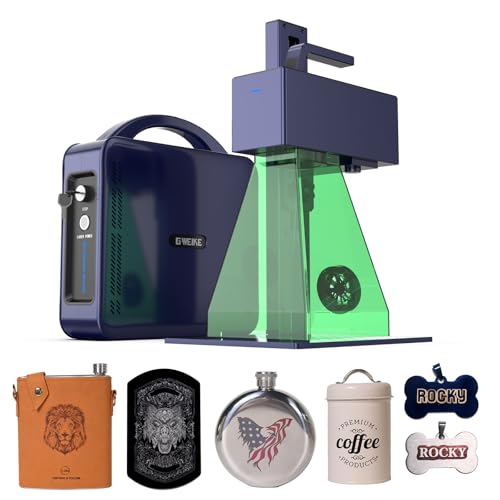
Skip it if you need an enclosed machine, if you cannot tolerate the DOA shipping risk, or if every job is monochrome deep engraving — in that case, the ComMarker B4 30W or GWEIKE G2 Pro 30W offer better speed or convenience for the same money.
Our Verdict
The OMTech 30W MOPA has a 150mm field and a JPT MOPA source, but ASIN B0DCFGK6PX was out of stock with no current Amazon price on July 10, 2026. Hobbyist Laser does not expose a buying link or Offer JSON-LD while that remains true. Verify the exact controller, included software, seller, return policy, price, and availability before reconsidering it.
| Full Specifications | |
|---|---|
| Wattage | 30W |
| Laser Type | MOPA |
| Laser Source | JPT |
| Work Area (W) | 150mm |
| Work Area (H) | 150mm |
| Galvo Speed | 8000mm/s |
| Color Marking | Yes |
| LightBurn | Yes |
| Autofocus | No |
| Focal Length | 163mm |
| Weight | 4.5kg |
| Form Factor | portable |
| Software | LightBurn + EZCad2 (verify bundled on your ASIN) |
| Pulse Width | 2–500ns |
Frequently Asked Questions
Can the OMTech 30W MOPA mark color on stainless steel?
What work area does the OMTech 30W MOPA have?
Is the OMTech 30W MOPA reliable?
Related Buying Guides
Compare With Similar Fiber Laser Engravers
Head-to-Head Comparisons
OMTech 30W JPT MOPA Fiber Laser Engraver
No current Amazon offer
Amazon offer checked 2026-07-10. Price and availability can change.