At a Glance
Best For
Overview
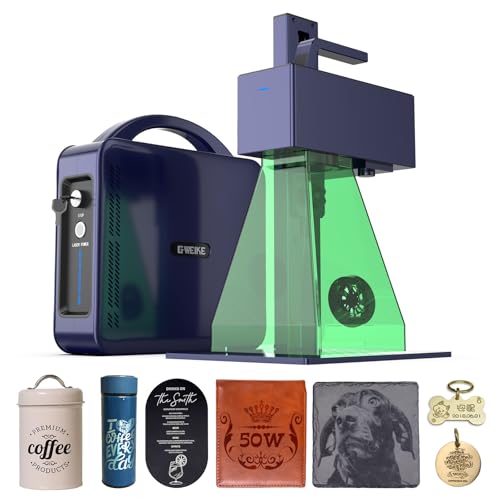
The GWEIKE G2 Max 50W is the production-volume deep-engraving specialist in this guide's lineup, and it occupies a unique niche: high wattage at high speed in a portable form factor that GWEIKE built around the same 6.5 kg chassis as the G2 Pro 30W rather than the heavy industrial frame you would expect at 50W output.
First, the critical correction: the GWEIKE G2 Max 50W is NOT a MOPA laser. Earlier spec data on some product listings incorrectly listed it as JPT MOPA; the actual hardware is a 50W Raycus Q-switched fiber laser. This matters enormously for color marking — Q-switched cannot produce the controllable oxide-layer color marks that MOPA machines do. The G2 Max can achieve some thermal oxidation color on stainless and titanium through its extended 20–200kHz frequency range, but the results are less consistent and less repeatable than what a true JPT MOPA produces.
The G2 Max's actual value proposition is deep engraving speed. At 15,000mm/s with 50W output, it is the fastest high-wattage fiber laser in this price bracket, and the depth-per-pass on hardened steel and tool steel is the standout capability — documented depth to 5mm on metal in production-viable pass counts. For knife makers running deep maker's marks, makers producing 3D depth-mapped grayscale on metal, and production batch operators doing volume serial-number marking, the G2 Max 50W delivers throughput that no other machine in this price band approaches. It is the right purchase when you've already decided that deep engraving speed beats color marking flexibility — and the wrong purchase otherwise.
Pros & Cons
Pros
- 50W Raycus fiber at 15,000mm/s is the highest wattage-speed combination in this price bracket — deep engraving to 5mm on metal is a documented standout capability no 30W machine at any price matches
- GWEIKE's LightBurn driver is the most actively maintained of any Chinese fiber laser brand — after the initial x/y axis calibration, LightBurn integration runs without the COR file gymnastics that ComMarker requires
- 150×150mm work area with 50W handles large plaques, long knife blades, and production batch runs on a single setup
- Active LightBurn settings ecosystem with a 37-material community settings pack (Etsy) specific to the G2 Max 50W covering metals, plastics, and stone
- 6.5kg portable form factor with detachable laser head — the same lightweight chassis as the G2 Pro 30W, not the heavy industrial frame you would expect at 50W output
Cons
- NOT a MOPA laser — earlier specs on this site incorrectly listed it as MOPA/JPT; it is a Raycus Q-switched fiber laser; no controllable pulse width, no MOPA-quality color marking libraries
- Calibration out of box requires x/y axis swap in LightBurn — documented by a verified owner (machinesformakers.com, Sep 2025); not a defect but a configuration step GWEIKE's documentation does not explain
- Compare this 50W Q-switched configuration with current 60W MOPA offers by exact source, field, controller, and workflow rather than expired prices
- Color marking is thermal oxidation, not MOPA — achievable on stainless and titanium with tuning but less consistent and less repeatable than a JPT MOPA; best-lasercutter.com explicitly notes this limitation
- No enclosure, no autofocus, and documentation rated poor by multiple owners — 50W Class 4 open-beam requires full PPE and a controlled workspace from day one
Build Quality & Design
The G2 Max 50W is built around the same 6.5 kg portable chassis as the GWEIKE G2 Pro 30W — a detail that surprises buyers expecting an industrial-tier frame at 50W. The form factor is genuinely portable: the laser head detaches from the column, the control box sits separately, and the whole assembly fits on a single workbench without dedicated infrastructure. The build quality is competent for the price; the metal frame is rigid enough to hold calibration through normal production use, and the galvo head is precisely the same hardware family as on the G2 Pro 30W.
The portability at 50W is genuinely uncommon. Most 50W+ fiber lasers in this price tier are built around fixed industrial chassis weighing 15–25 kg. The G2 Max's 6.5 kg form factor enables shop layouts that would be impossible with bigger machines — multi-station configurations, mobile production setups, and easy storage when not in use. For makers without a permanent dedicated laser room, this is a meaningful workflow advantage.
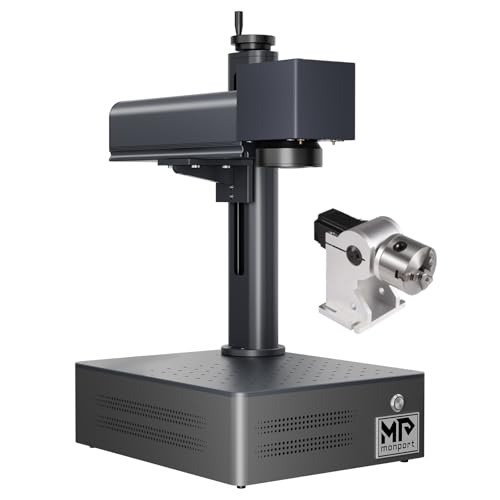
The 150×150mm work area is the configuration sweet spot for 50W work — large enough for full tumblers with a rotary chuck, full knife blades without repositioning, and medium-sized plaques in single setups. It's smaller than the 175×175mm work area on the 60W MOPA tier (Monport 60W MOPA, ComMarker B4 60W MOPA), but for most G2 Max use cases (where deep engraving on steel and aluminum is primary), the 150mm field is sufficient.
What the G2 Max does not include: enclosure, autofocus, and clean documentation. At 50W open-beam Class 4, the safety requirements are non-trivial — OD5+ laser safety glasses mandatory, dedicated controlled workspace required, no bystanders in the room during operation. The lack of autofocus matters more at 50W than at 20W because the parameter envelope is more sensitive to focus errors at higher power; expect to spend more time on focus calibration per material change. GWEIKE's documentation is poorly rated by multiple owners — the LightBurn forum and Reddit threads consistently describe G2 Max setup documentation as inadequate, with first-time setup requiring community help to complete cleanly.
The documented out-of-box calibration step that catches every new G2 Max owner: LightBurn requires an x/y axis swap in the device settings before the machine produces correctly-oriented marks. This is documented by verified owner reports (machinesformakers.com, Sep 2025) but not by GWEIKE's manual. It's not a defect — it's a configuration step GWEIKE does not explain. Expect to fix this within the first 30 minutes of setup.
Laser Source & Performance
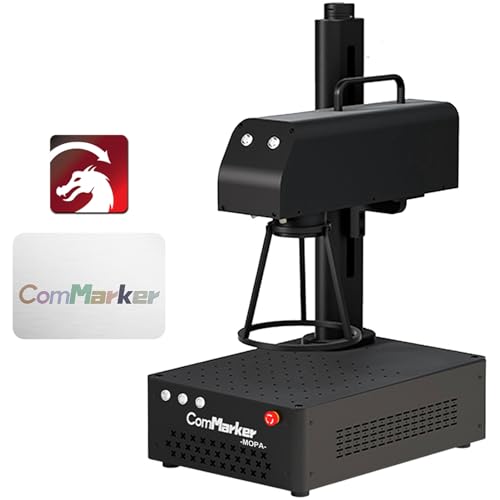
The 50W Raycus Q-switched fiber laser source is the G2 Max's primary differentiator. Raycus is the same tier-1 Chinese source manufacturer that supplies many machines in this guide; the 50W output is the highest wattage Q-switched offering at this price point. Combined with the 15,000mm/s galvo speed, the wattage-speed combination is the highest in this price bracket — neither the ComMarker B4 60W MOPA (60W at 7,000mm/s) nor the Monport 60W MOPA (60W at 8,000mm/s) can match the G2 Max's throughput on infill-heavy or batch work.
The deep engraving capability is the G2 Max's flagship feature. Documented depth-to-5mm engraving on hardened steel in production-viable pass counts is real and is a capability no 30W machine can match. For knife makers running deep maker's marks (so the mark survives sharpening for years), for medallion and coin makers producing 3D depth-mapped grayscale, and for industrial-tier marking applications, the G2 Max's depth-per-pass throughput is the right tool. A deep engraving job that takes 10 passes on a 30W machine often completes in 3–4 passes on the 50W — the throughput delta is substantial.
There is no MOPA pulse-width control; the laser fires at a fixed pulse width, and the 20–200kHz frequency range extension that GWEIKE engineered into the G2 Max provides some control over thermal effects but not the precise oxide-layer control that MOPA pulse-width modulation enables. Color marking on stainless and titanium is achievable through thermal oxidation — but the results are less consistent than MOPA color, less repeatable across batches, and require more parameter tuning per material. The best-lasercutter.com review explicitly calls this out as a limitation versus dedicated MOPA machines.
The extended frequency range (20–200kHz versus standard Q-switched at 20–60kHz) is worth understanding. The extension enables thermal oxidation effects that produce some color on stainless steel through controlled thermal accumulation — different mechanism than MOPA pulse-width oxide control. The colors achievable are typically more muted (blacks, browns, some blues) than the vivid full-color palette MOPA produces, and the tuning is more sensitive to surface preparation and material condition. For a maker who does occasional color work but primary deep engraving, the G2 Max's color capability is a bonus; for a maker focused primarily on color tumbler work, the G2 Max is the wrong choice and a MOPA is required.
The G2 Max's source longevity matches the broader Raycus reputation — these sources are documented as reliable in industrial production environments for years of daily use. Unlike the xTool F1's IR head longevity concerns, Raycus 50W sources in production environments rarely fail prematurely. The G2 Max should serve a production business for 5+ years of daily use barring accident.
Software & Workflow
The G2 Max's LightBurn integration inherits all the strengths that make the GWEIKE G2 family the most accessible fiber laser entry point. GWEIKE actively maintains their LightBurn galvo driver across the product line, the LightBurn community ecosystem for G2 machines is the largest of any Chinese fiber brand, and the standard fixes (x/y axis swap, focal length calibration) are documented in community threads even when GWEIKE's manual doesn't cover them.
For the G2 Max specifically, the community parameter library is uniquely deep. A 37-material community settings pack (Etsy, multiple sellers) covers metals, plastics, leather, stone, and anodized aluminum with starting parameters tuned specifically for the G2 Max 50W. This is a meaningful advantage over the 60W MOPA tier — Monport 60W MOPA has near-zero community settings, ComMarker B4 60W MOPA has settings but they don't transfer cleanly to the G2 Max's different architecture. The G2 Max-specific settings ecosystem means first-week production output is achievable rather than aspirational.
The EZCad fallback works for users who prefer the traditional fiber laser controller workflow, but the community advantage all lives in LightBurn. There is essentially no reason to use EZCad over LightBurn on the G2 Max once LightBurn is calibrated.
The documented setup gotcha — x/y axis swap in LightBurn device settings — is the one consistent stumbling block for new G2 Max owners. The machinesformakers.com review (Sep 2025) documents this clearly, and the LightBurn forum has multiple threads with step-by-step walkthroughs. The fix takes 5 minutes once you know it's required; the frustration is that GWEIKE's documentation doesn't surface this anywhere. Plan to consult community resources before assuming the machine is malfunctioning.
GWEIKE's customer service is WhatsApp-only with slow US-hour response times. For occasional issues, this is acceptable; for production-critical downtime, it is not viable. The G2 Max's depth of community support partially compensates — most issues are solvable by searching Reddit and the LightBurn forum without needing GWEIKE support input at all.
Use-Case Performance
For deep engraving on hardened steel and tool steel — the G2 Max's flagship use case — performance is class-leading at the price. Knife makers running deep maker's marks (intended to survive sharpening for years on the spine or tang), industrial marking shops doing serial numbers on tool dies, and craft makers producing 3D depth-mapped reliefs all benefit from the 50W output and 15,000mm/s galvo speed combination.
For 3D grayscale and depth-mapped engraving (LightBurn 3D slice workflows), the G2 Max produces results that 30W machines cannot match in throughput. The 50W depth-per-pass enables single-session 3D engraving runs that 30W machines would split across multiple passes with cumulative timing overhead. Coin engraving, medallion work, and dimensional metal art all favor the G2 Max for production-volume output.
For full-blade knife marking and longer-blade work, the 150mm work area is sufficient for most hunting knives, pocket knives, and standard chef's knives. Longer chef's knives (over 150mm blade) require repositioning, but for the majority of blade work, the 150mm field is adequate. The 50W output handles all common blade steels — 1095, O1, W2, D2, A2, M2, stainless damascus — at production-acceptable speeds.
For tumbler work, the G2 Max delivers competent monochrome engraving with the included rotary chuck, and some color capability via the extended frequency range. The 150mm work area handles full 20–30 oz tumblers without repositioning. For color tumbler businesses where vivid blues/reds/golds are the primary product, the G2 Max is the wrong tool versus a true MOPA — the color quality is inferior, less consistent across batches, and harder to tune. For monochrome tumbler businesses where deep clean engravings are the primary product, the G2 Max is excellent.
For business and production-volume operations, the G2 Max is one of the most defensible buys in the price tier. The combination of 50W power, 15,000mm/s speed, active community settings library, and reliable Raycus source longevity means the machine can drive production output for years without becoming the bottleneck in the workflow. For a maker scaling from hobbyist to small business focused on metal marking, the G2 Max is the right step up. For a maker scaling into color tumbler work specifically, step laterally to the ComMarker B4 60W MOPA instead — same price tier, different capability priority.
Value & Verdict
The ComMarker B4 60W MOPA comparison is the most important price decision for any G2 Max buyer. The right choice depends on whether your primary use case favors deep engraving speed (G2 Max) or color marking flexibility (ComMarker B4 60W MOPA).
The community recommendation pattern is genuinely split between these two machines for buyers in this tier. Knife makers and deep-engraving operators consistently recommend the G2 Max; color tumbler operators and MOPA-focused buyers consistently recommend the B4 60W MOPA. Neither recommendation is universally correct — they reflect different use case priorities, and the right answer depends on your actual workflow.
The correction about MOPA vs Q-switched cannot be overstated. Earlier marketing material and some product listings incorrectly classified the G2 Max as a MOPA machine. The actual hardware is 50W Raycus Q-switched with extended 20–200kHz frequency range. Color marking is achievable through thermal oxidation but it is not MOPA-quality color marking. If you read product listings that say 'MOPA' on the G2 Max, those listings are wrong — verify with GWEIKE's official specifications before purchase if color marking is critical to your decision.
Buy the GWEIKE G2 Max 50W if: deep engraving speed is your primary use case, you produce knife blades or 3D depth-mapped engravings at production volume, you value the active LightBurn community ecosystem, and color marking is secondary to throughput. Skip it if: color marking on stainless or titanium is your primary use case (buy ComMarker B4 60W MOPA instead), your work pieces are larger than 150×150mm (step up to 175mm field), or production-critical support response time is essential (the WhatsApp-only support is the biggest workflow risk).
Our Verdict
The GWEIKE G2 Max 50W is a Q-switched, 50W configuration for buyers prioritizing engraving speed over MOPA pulse control. The verified Amazon offer was $2,499 on July 10, 2026. Compare it against current 60W MOPA offers by exact source, controller, work area, and support rather than the expired $1,199 comparison.
| Full Specifications | |
|---|---|
| Wattage | 50W |
| Laser Type | Q-Switched |
| Laser Source | Raycus |
| Work Area (W) | 150mm |
| Work Area (H) | 150mm |
| Galvo Speed | 15000mm/s |
| Color Marking | Yes |
| LightBurn | Yes |
| Autofocus | No |
| Focal Length | 163mm |
| Weight | 6.5kg |
| Form Factor | portable |
| Software | LightBurn + EZCad |
| Pulse Width | N/A (Q-Switched, 20–200kHz frequency range) |
Frequently Asked Questions
What's the x/y axis swap calibration step?
Can it cut metal, or only engrave?
Is the 150mm work area enough for full tumblers?
Compare With Similar Fiber Laser Engravers
Head-to-Head Comparisons
GWEIKE G2 Max 50W Fiber Laser Engraver
$2,499
Amazon offer checked 2026-07-10. Price and availability can change.