ComMarker B4 60W JPT MOPA Fiber Laser vs xTool F1 Ultra 20W Fiber & Diode Dual Laser Engraver
Head-to-head spec comparison to help you pick the right fiber laser for your needs.
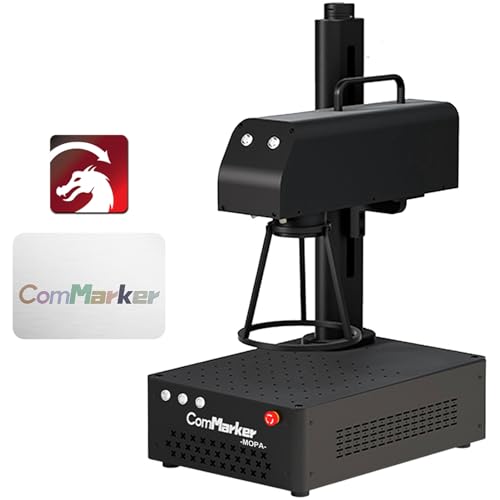
ComMarker
$3,699
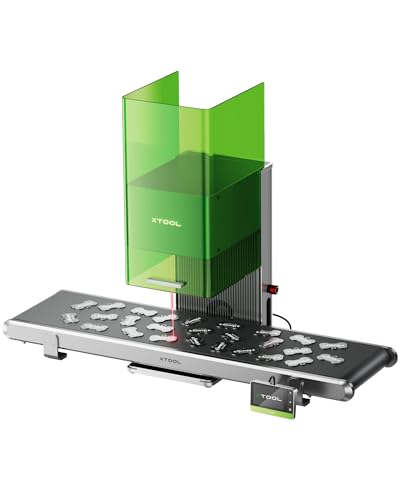
xTool
Unavailable
Spec-by-Spec Comparison
| Spec | ComMarker B4 60W JPT MOPA Fiber Laser | xTool F1 Ultra 20W Fiber & Diode Dual Laser Engraver |
|---|---|---|
| Wattage | 60 W | 20 W |
| Laser Type | MOPA | Q-Switched |
| Laser Source | JPT | Not disclosed |
| Work Area (W) | 175 mm | 220 mm |
| Work Area (H) | 175 mm | 220 mm |
| Galvo Speed | 10000 mm/s | 10000 mm/s |
| Color Marking | Yes | No |
| LightBurn | Yes | Yes |
| Autofocus | No | Yes |
| Weight | 5.5 kg | 14.7 kg |
| Software | LightBurn + EZCad2 (LightBurn requires COR file setup) | xTool Creative Space; basic LightBurn workflow supported |
| Pulse Width | 2–500ns | N/A (Q-Switched) |
| Price | $3,699 | Unavailable |
| Rating | 9.0/10 | 8.6/10 |
| Buy on Amazon | Amazon offer unavailable (checked 2026-07-10) |
Pros & Cons
ComMarker B4 60W JPT MOPA Fiber Laser
Pros
- JPT M7 MOPA source confirmed — wider frequency range (1–4,000kHz) and tighter pulse consistency than Raycus Q-switched alternatives at any price; the datasheet comes in the box
- The catalog combines 60W MOPA and a 10,000mm/s speed claim; production throughput still depends on material, settings, field, and workflow
- LightBurn compatible via COR file — both LightBurn and EZCad2 workflows supported; JPT M7's full pulse-width parameter range is accessible from LightBurn's galvo interface once configured
- Rust cleaning at 60W is a documented bonus capability — removes surface oxide from steel without abrasives, useful as pre-treatment before color marking on weathered material
- Foot pedal input, job preview function, and fan that only runs during active engraving — the small-business production workflow details that distinguish a tool from a toy
Cons
- LightBurn setup requires loading a COR file and manually configuring galvo axis, Q-Pulse Width, and frequency settings — LightBurn forum (April 2026) shows new owners needing 30+ minutes before getting first correct results; not auto-detected
- No autofocus — manual Z-axis focus required for every workpiece height change; the B6 MOPA, ComMarker's current flagship, corrects this limitation
- B4 MOPA line is end-of-life inventory — ComMarker now promotes the B6 MOPA (autofocus, updated form factor, same 60W power); ASIN B0CGX9TBGQ remains on Amazon but community resources will increasingly reference the B6 going forward
- Color marking requires calibration per material batch — powder coat thickness and alloy composition vary even within the same tumbler brand, requiring fresh test grids for each new batch
- No enclosure — Class 4 open-beam 1064nm infrared; requires OD6+ eyewear at 60W and either ComMarker's Safety Enclosure Pro or a dedicated controlled workspace
xTool F1 Ultra 20W Fiber & Diode Dual Laser Engraver
Pros
- 20W fiber and 20W diode sources cover metal engraving alongside common wood, acrylic, leather, and other diode-compatible work
- A 220×220mm base work area and camera-led XCS workflow support positioning and repeatable batch layouts
- The enclosure can create xTool's documented Class-1 operating conditions when it is fully closed, the exhaust pipe remains installed, and the enclosure-stop control is enabled
- Autofocus, smart fill, and camera-assisted positioning reduce manual setup for compatible XCS workflows
- The optional conveyor and rotary accessories extend the machine beyond flat, single-piece jobs
Cons
- xTool does not identify the F1 Ultra as a MOPA model, so it is not the family choice for controlled pulse-width color work
- LightBurn supports a basic processing workflow but not the machine's complete feature set; xTool directs full-feature use to XCS
- Camera-led automation and signature batch features remain dependent on xTool Creative Space
- At 14.7 kg, it is a desktop machine rather than a lightweight event engraver
- The fiber-source manufacturer is not disclosed in xTool's current official documentation
Our Verdicts
ComMarker B4 60W JPT MOPA Fiber Laser
The ComMarker B4 60W MOPA remains the highest-rated configuration in this catalog for buyers who value 60W JPT MOPA capability and can work within its field size. The verified Amazon offer was $3,699 with limited stock on July 10, 2026, not under $1,100. Confirm the exact lens bundle, controller, seller terms, price, and stock before treating it as the right production purchase.
xTool F1 Ultra 20W Fiber & Diode Dual Laser Engraver
The xTool F1 Ultra is a strong fit for buyers who need 20W fiber and 20W diode capability in one camera-guided desktop workflow. Its enclosure has conditional Class-1 operating conditions, not a blanket exemption from laser-safety controls, and its full automation remains XCS-dependent. It is not the MOPA choice for controlled pulse-width color work. The tracked Amazon offer remains out of stock, so Amazon buying exits and Offer structured data stay suppressed until a fresh eligible offer is verified.
xTool F1 Ultra 20W Fiber & Diode Dual Laser Engraver
No current Amazon offer